


Update: Nov 23, 2023
Ultimate iPad/iPhone/iPod management tool
Here's the solution to all your Apple devices. ImTOO PodWorks is the ultimate iTunes-alternative and upgrade. With the clear, user-friendly interface, you can easily browse, transfer and manage your videos, songs, photos, apps and so on.
Backup iPad/iPhone/iPod and rebuild iTunes library from devices
Change to a new computer? No worries. PodWorks helps you restore iTunes library from iPad/iPhone/iPod quickly and easily. Do not let iTunes limit your options. For people who have more than one Apple devices, PodWorks can manage them at the same time and directly transfer contents between them.
Main Functions
 Transfer and manage movies/songs
Edit ID3 tags, add artworks to your files, create and edit playlists. Edit photo albums at will
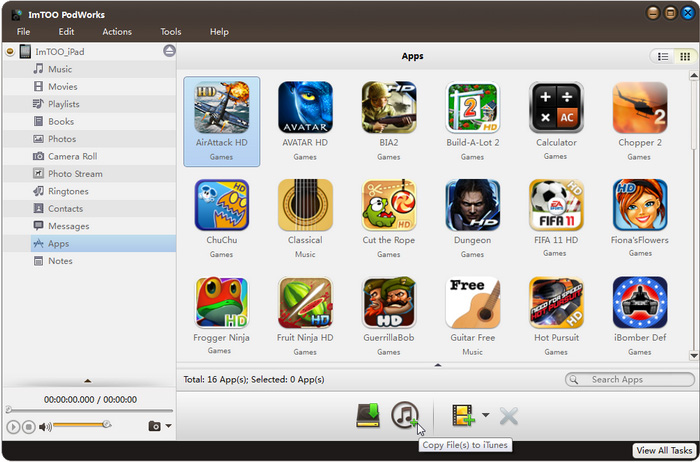
Add, move and delete pictures between multiple albums freely. Also copy pictures and photos to computer. Backup apps to iTunes or local folder
Besides backup, you can add these apps in local folder to other devices any time. It is a way to avoid apps being deleted when sync with iTunes. Backup contacts and sms.
Import/export contacts from csv or Vcard files. Export sms to html or txt files. All messages are organized by contacts and date. Save ringtones to hard drive and iTunes
Add ringtones to devices as well.- Manage ebooks
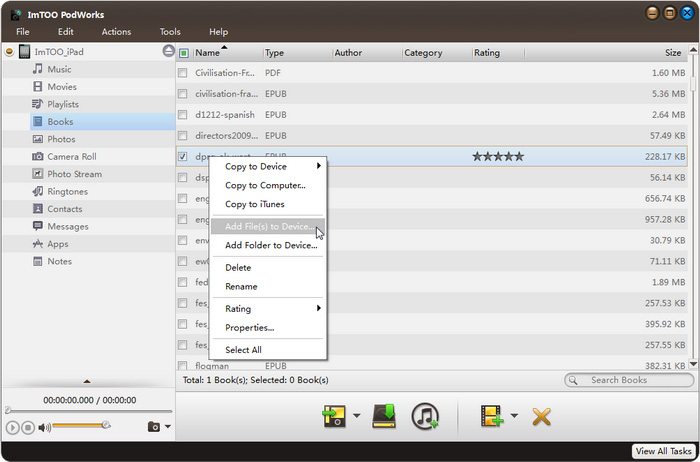
Transfer, rate, add or remove ebooks. - Get voice memos out of iPhone
Voice memos can be easily transferred to your computer with Podworks - Edit, create and backup notes conveniently
Podworks allows you to edit any note without limitation.
References
| Output Devices Supported | |
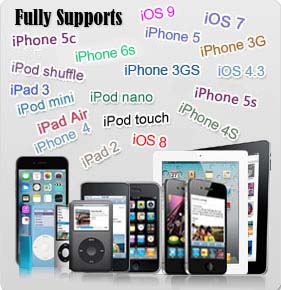
| iPad, iPad mini, iPad Air, iPad Pro (12.9/9.7/10.5/11 inch), iPod nano/mini/shuffle/classic/touch, iPhone 3G/3GS/4/5/5S/5C/SE/6/6S/7/8/X/XS/XR/11/12/13/14/15 Series. iOS 11 iTunes 12 |
|
| File Formats Supported | |
| CD/DVD | CD, DVD-Video, DVD folder, ISO file |
| Video | 3GP, 3G2, ASF, AVI, DV, DIF, VOB, FLV, M2TS, MTS, M4V, SWF, MKV, DVR-MS, MJPG, CDA, MJPEG, MOD, MPG, MPEG, MPA, DAT, TS, MPV, NSV, MOV, QT, H261, H264, RM, RMVB, WMV, ASF, XWMV |
| Audio | AAC, AIF, AIFF, AC3, APE, CUE, AU, FLAC, MPA, MP2, MP3, OGG, RA, WAV, WMA, CDA, M4A, MP4 |
| Image | BMP, GIF, JPEG, PNG |
System Requirements
| OS : | Microsoft® Windows XP (SP2 or later), Windows Vista, Windows 7, Windows 8, Windows 10 |
| Processor : | 1GHz Intel/AMD processor or above |
| RAM : | 256MB RAM (512MB or above recommended) |
| Free Hard Disk : | 50MB space for installation |
| Graphics Card : | Super VGA (800*600) resolution, 16-bit graphics card or higher |
| Others : | iTunes 9.1 or above; DVD-ROM drive |
Key Features
- Support all iPad/iPhone/iPod models, newest iOS and iTunes version.
- All contents on devices are displayed in an organized and visual-friendly way. E.g. you can browse music collection by album, artist, genre, or list.
- Support contents transfer between multiple devices
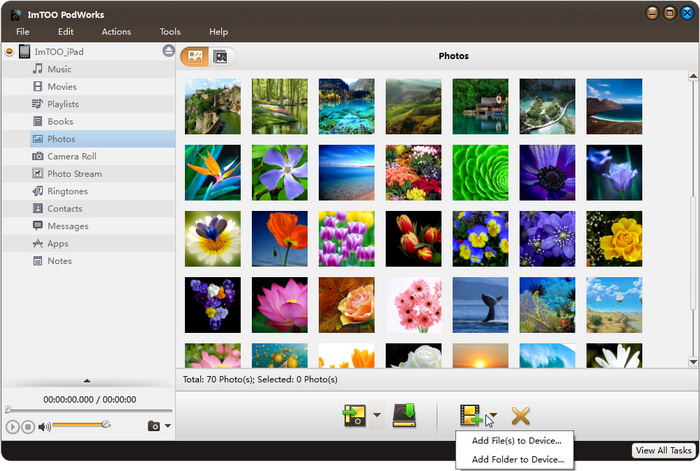
- Picture and album management are easier than ever. Not only create and edit photo albums, but also set an album cover, or even add one picture to several albums.
- Backup all contacts and messages in iPhone by a few clicks. No need to worry about switching to another mobile phone.
- Search function is available to help you quickly find whatever you want in your music and movie library.
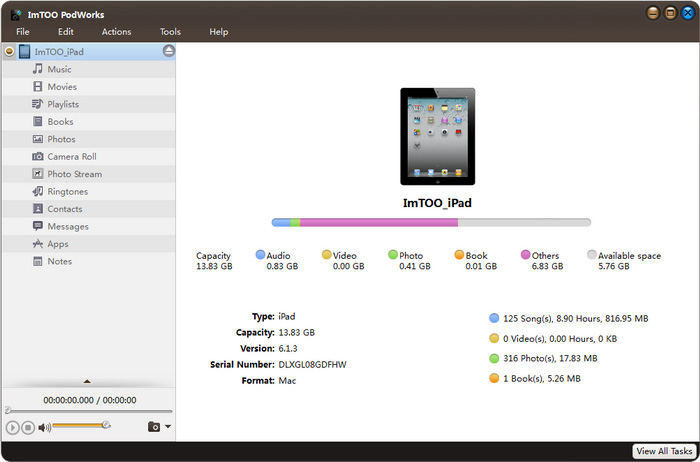
- Automatically detect devices and display device information including model, capacity, and version etc.
What's new
- Fully compatible with iOS 17, iPhone 15, iPhone 15 Plus, iPhone 15 Pro, iPhone 15 Pro Max
- Fully compatible with iOS 6.1, and iPhone 5, iPod touch 5, iPod nano 7
- Strengthened the function of playlist management
- Added the function of copying photos from photostream to computer
- Provided support for importing contacts exported from Incredimail
- Added the function of dragging and dropping apps
- Fixed the bug of failing to show artworks of music files
- App transfer and app document management
- Synchronize your iOS devices via Wi-Fi
| Tutorial: | ImTOO PodWorks Tutorial |
| iPod Products Comparison: | PodWorks Platinum, PodWorks |
| iPod Computer Transfer |
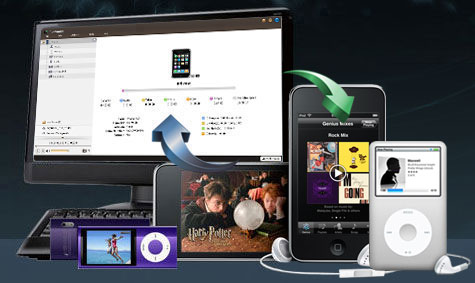
- Transfer movies, music, photos, playlists
- Transfer apps, contacts, ringtones, sms and much much more
- Backup device contents to hard drive or iTunes
- Support transfer between multiple idevices, or between devices and computer
- Easily create, edit and delete photo albums
- Support all iPad, iPhone and iPod models, iOS 17 and iTunes 12





- “Great software for iPod owners! This software is the best transferring software for iPod I ever used.”-Michelle
- “Best iPod manager ever!”-Guy
- “It’s an all in one software that lets me transfer from iPod to my computer and convert videos for my ipod. Thanks ImTOO!” –Shawna
- “A must have software for all iPod lovers!” – Jed
- “Perfect iPod transfer software. The best I ever seen, plus converts videos and dvds for ipod, what a bonus!” –Katty