


ImTOO iPod Computer Transfer

Update: Nov 23, 2023
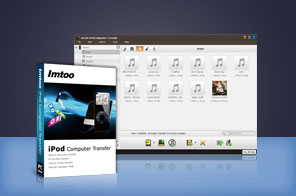




- Transfer music, video, photo, SMS messages files from iPod to computer
- Backup and copy iPod songs and movies to iTunes
- Connect multiple iOS devices at one time; transfer songs from iPod to iPod with ease
- Support data transfer via Wi-Fi
- All generations and versions of iPod are supported including iPod touch, iPod nano, iPod classic, iPod shuffle, and iPod Mini
- Compatible with all iPhone/iPad/iPod models, iOS 17 and iTunes 12


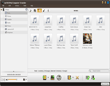
Transfer music, movies, photos, ebooks, messages, contacts and apps from iPod to computer, computer to iPod, even iPod to iTunes. With ImTOO iPod Computer Transfer you can copy and backup all your audios, videos, and pictures between them. Photos and videos recorded by the device are also supported.
ImTOO iPod Computer Transfer also allows you to connect several iPods and other iOS devices and manage them simultaneously. Transfer songs, movies from iPod to iPod, iPod to iPhone and vice versa. It even offers you the ability to manage your iPhone as a portable hard disk. All iPod, iPhone models and generations and iTunes versions are supported.
iPod Products Comparison: PodWorks Platinum, PodWorks, iPod Computer Transfer
Main Functions
 iPod to Computer Transfer
Transfer music, video and other files between iPod and computer for backup. iPod to iTunes Transfer
Sync, copy and backup songs, movies and other multimedia files from iPod to iTunes 12. iPod to iPod Transfer
Connect several iPods without conflict or slowing down your computer; copy and share files between them without overwriting each other's information.
What's new
- Fully compatible with iOS 17, iPhone 15, iPhone 15 Plus, iPhone 15 Pro, iPhone 15 Pro Max
- Fully support iOS 6, iTunes 11.0 and iPhone 5, iPod touch 5, iPod nano 7
- Strengthened the function of playlist management
- Added the function of copying photos from photostream to computer
- Provided support for importing contacts exported from Incredimail
- Added the function of dragging and dropping apps
- Fixed the bug of failing to show artworks of music files
- App transfer and app document management
- Support data transfer via Wi-Fi
- Support SMS back up
- Import and export contacts
- Move songs to another playlist
Key Features
- Support all generations and versions of iPod, iPhone and any version of iTunes.
- Use iPhone as a portable hard disk to import/export files and contents to/from computer.
- Drag and drop application between PC and iPad, also support to manage application document.
- Delete songs from one playlist and then move them to another one to create your very own playlist.
- Manage iPod on any computer with this iPod to Computer Transfer installed on your PC.
- Transfer, edit, rename or delete iPhone ringtones and eBooks in PDF or EPUB format with ease.
- Create, deleted and edit photo albums to organize your iPod photos conveniently.
- Read and export videos/photos shot by the device conveniently.
- Share one photo with multiple albums for your different needs.
- Search and filter through files easily.
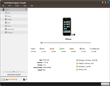
- Displays device properties such as model, capacity, version, serial number and the like.
- View files in multiple modes including songs, albums, artists and genres.
- Select from French, Italian, Spanish, German, Japanese, Chinese language interface.

User Reviews
"Thank you for a very helpful and professional program. I purchased your "ImToo iPod Computer Transfer Program for P.C.", and I am delighted that I did. The program does all that it claims to do, and what's more does it very efficiently and simply. A sign of a good programmer and of very good Application Design. Again, thank you for a very efficient and easy to use program. It Beats the pants off iTunes any day!!!!!!!"Gavin, USA "My computer crashed and I lost all my songs on iTunes. A friend recommended me this program - ImTOO iPod Computer Transfer and I was very impressed by it simplicity of use to copy all songs in my iPod back to computer. Thanks a lot!" Theodore, Canada


-
- iTransfer Platinum Mac

- iPhone Transfer Platinum Mac
- iPad Mate Platinum Mac

- PodWorks Platinum Mac
- iPhone Ringtone Maker Mac
- iPhone Transfer Plus Mac
- iPad Mate for Mac
- PodWorks for Mac
- iPhone Contacts Transfer Mac
- DVD to Video for Mac
- DVD to MP4 Converter for Mac
- DVD to iPhone Converter for Mac
- Blu-ray to Video Converter for Mac
- DVD to iPad Converter for Mac
- DVD to Audio Converter for Mac
- DVD Creator for Mac
- Video Converter for Mac
- MP4 Converter for Mac
- 3D Movie Converter Mac
- Video Editor 2 for Mac
- Audio Converter Pro Mac
- YouTube Video Converter for Mac
- Download YouTube Video for Mac
- YouTube HD Video Downloader Mac
- YouTube to iTunes Converter Mac

- YouTube to iPhone Converter Mac
- HEVC/H.265 Converter for Mac
- iTransfer Platinum Mac
- More