



Free Download
Size 155MB


Main Functions
 Convert DVD to Video, Audio and Picture
Convert DVD movies to AVI, DivX, MPEG, MP4, H.264/AVC, MOV, XviD, 3GP, etc. Convert DVD movies to MP3 and WMA audio as well as pictures. Ultimate Video & Audio Converter
Convert among almost all popular video and audio formats including AVI, MPEG, WMV, H.264/AVC, FLV, MKV, AVCHD, RM, MOV, DivX, 3GP, MP3, WMA,AAC, M4A, AC3, OGG, APE, etc, Now support 3D. Clone DVD, Burn ISO File to DVD
Copy DVD in perfect 1:1 ratio; compress DVD-9 to DVD-5; copy DVD to ISO file or DVD folder; burn ISO file to DVD. Burn Video to DVD, Make Music CD
Burn AVI, MPEG, WMV, DivX, MP4 to DVD; convert video to MP3 and WMA audio; convert audio CD to MP3; burn MP3, WMA, WAV, M4A, AAC, APE to music CD.
What's new
- DVD to Video, Video Converter just upgraded to v7.
- Allows you to add subtitles and soundtracks to the output video.
- Enable the function of transferring the output files to iPod, iPhone or PSP.
- Capable of inserting transitional effects in between merged video/picture items.
- Makes the built-in player resizable.
- DVD Creator supports HD videos including MKV, TS, MOV, MTS, and M2TS as the input formats.
- Revamped menu template and added a menu template group
- Added support for opening DVD film clip.
- Edit video clips in the DVD menu section. Create title thumbnail in the DVD menu section using pictures or video clips.
- Allows to crop a DVD video frame to the required size, add watermarks and other effects before creating DVD movie.
Key Features
- Professional video editing tools: crop video image, apply artistic effects, add soundtracks, add subtitles (SRT, SSA, ASS), add watermarks, and many more.
- Merge several DVD titles or video files into one.
- Clip a video to obtain one or more segments from it; either output them individually or as a merged whole.
- Convert segments from a video with custom start time and duration; split a file into several with specified split size or length.
- Convert a file into multiple formats simultaneously by selecting multiple conversion profiles.
- Adjust parameters such bit rate, frame rate, etc.
- Get file converted to the required size using the Bitrate Calculator.
- Choose to copy only the movie part of the DVD; copy DVD without menu; copy DVD with any audio/ subtitle of your choice. Ability to erase RW-discs.
- Add picture, music and title for DVD menu; choose from a range of colorful menu templates.
- Supports many DVD formats: DVD-R, DVD-RW, DVD+R, DVD+RW, DVD+R DL, DVD-R DL and DVD-RAM.
- Preserves the original ID3 tag info after conversion; edit ID3 info of MP3 and WMA files.
- Batch processing and multithreading offer the maximum conversion speed possible.
- Run tasks in the background.
- Allows you to set your system to auto shut down, hibernate, stand by or exit application after a task is over for improved efficiency.
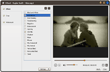


User Reviews
"I have been looking for an inexpensive, easy to use software package for some months. Your company is what I have been looking for! I download and try one software of the package - ImTOO DVD Converter, and I find the software is very powerful and it can help me to convert my music from DVD movies. I am very much satisfied with the music quality but no long time waiting..." Paul Cox, USA "This is the perfect package I have ever come through. I think I am so lucky to try the product, really easy to operate, but more importantly, gave quality and predictable results. And I tried many DVD convertingtools, and this one is my favorite. I like the simple interface and image quality though it is not too fast." Henry Lee, Canada


-
- iTransfer Platinum Mac

- iPhone Transfer Platinum Mac
- iPad Mate Platinum Mac

- PodWorks Platinum Mac
- iPhone Ringtone Maker Mac
- iPhone Transfer Plus Mac
- iPad Mate for Mac
- PodWorks for Mac
- iPhone Contacts Transfer Mac
- DVD to Video for Mac
- DVD to MP4 Converter for Mac
- DVD to iPhone Converter for Mac
- Blu-ray to Video Converter for Mac
- DVD to iPad Converter for Mac
- DVD to Audio Converter for Mac
- DVD Creator for Mac
- Video Converter for Mac
- MP4 Converter for Mac
- 3D Movie Converter Mac
- Video Editor 2 for Mac
- Audio Converter Pro Mac
- YouTube Video Converter for Mac
- Download YouTube Video for Mac
- YouTube HD Video Downloader Mac
- YouTube to iTunes Converter Mac

- YouTube to iPhone Converter Mac
- HEVC/H.265 Converter for Mac
- iTransfer Platinum Mac
- More