


ImTOO Blu-ray to DVD Converter

Update: Nov 16, 2021
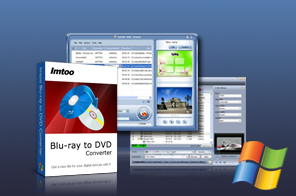


- Convert and burn any Blu-Ray movies and videos to any DVD disc
- Convert Blu-Ray discs to HD videos (H.264/MPEG-4 AVC, AVCHD Video (*.m2ts, *.mts), Apple TV H.264 720P, HD WMV, MPEG-2/MPEG-4 TS HD Video) or common-format videos (AVI, MPEG, WMV, DivX, MP4, H.264/AVC, RM, MOV, XviD, 3GP, FLV)
- Create Home DVD folders or ISO files from Blu-ray movies
- Editing tools allow you to: clip/split/crop/merge videos
- Add watermarks to videos, adjust video/audio parameters
- Create video menus amongst others
- Can't rip/convert Blu-ray with copyright
ImTOO Blu-ray to DVD Converter is a Blu-ray to DVD conversion and Blu-ray to DVD burning software which helps you convert Blu-ray movies to DVDs and copy Blu-ray movies to your computer. A wide range of video formats are supported, from high-definition (HD) formats such as AVCHD (*.m2ts, *.mts) and H.264/MPEG-4 AVC to popular common videos such as MP4 and AVI.
Main Functions
 Convert Blu-Ray to DVD Movies
Convert and burn Blu-ray movies to DVD movies and enjoy them on your DVD players. Convert Blu-Ray Discs to Your PC
Convert Blu-ray discs to HD videos (such as AVCHD video, HD WMV, H.264/MPEG-4 AVC, Apple TV H.264 720P, and MPEG-2/MPEG-4 TS HD Video) and general videos (such as AVI, MPEG, WMV, DivX, MP4, H.264/AVC, RM, MOV, XviD, 3GP, and FLV) Create DVD Folders or ISO Images for Blu-ray Movies
Create DVD folders or ISO image files from Blu-ray movies with remarkable speed and quality. Create DVD from Videos
Burn converted Blu-ray video files and other video files to DVD-Video discs. Extract Music and Images from Blu-Ray Movies
Audio and images from your Blu-ray movies can be extracted and saved as audio files (MP3, WMA, AAC, WAV, OGG, FLAC, APE, M4A, RA, AC3, MP2, AIFF, AMR, SUN AU Format), or picture files (JPG, PNG, GIF, BMP) respectively. Clip, Merge, Split Blu-Ray Movies
Trim a video file to retain the desired clips and convert them separately or as a merged whole; merge several files into one; split a file into several.
Key Features
- Fully supports a diverse range of multimedia devices: iPod, iPhone, Apple TV, PSP, Xbox, Zune, NDS, Wii, mobile phones, PMP, and many others.
- Supports most DVD-Video disc formats: DVD-5, DVD-9, DVD-R, DVD+R, DVD-RW, DVD+RW, DVD+R DL, DVD-R DL and DVD-RAM.
- Crop the frame of a video to remove black edges, commercial logos or any other bits you don’t fancy.
- Add picture and text watermarks onto your videos to prevent unauthorized use.
- Make your video artistic with applied effects including old film", "mosaic", "sand", "snowflake", and "negative".
- Adjust video effects: contrast, brightness, saturation.
- Customize output parameters: bit rate, frame rate, sample rate, resolution, codec, quality, and channel.
- Get the output file size you want with the built-in bit rate calculator.
- Convert a file into multiple formats to be enjoyed on a variety of devices.
- Preview the original Blu-ray movie and the edited version in real time.
- Convert several files in one time with batch conversion.
- Automatically performs one of the preselected actions (system shutdown, hibernation, standby, exit application) after a job is done.
- Take snapshots while previewing your Blu-ray movies and save captured images as JPG, GIF, PNG, or BMP format.
User Reviews
"Your Blu-ray to DVD Converter is really a good software for me to convert my blu ray disc movies to any video format I want, even burn my blu ray movies to DVDs. Thanks!" H. Wood US


-
- iTransfer Platinum Mac

- iPhone Transfer Platinum Mac
- iPad Mate Platinum Mac

- PodWorks Platinum Mac
- iPhone Ringtone Maker Mac
- iPhone Transfer Plus Mac
- iPad Mate for Mac
- PodWorks for Mac
- iPhone Contacts Transfer Mac
- DVD to Video for Mac
- DVD to MP4 Converter for Mac
- DVD to iPhone Converter for Mac
- Blu-ray to Video Converter for Mac
- DVD to iPad Converter for Mac
- DVD to Audio Converter for Mac
- DVD Creator for Mac
- Video Converter for Mac
- MP4 Converter for Mac
- 3D Movie Converter Mac
- Video Editor 2 for Mac
- Audio Converter Pro Mac
- YouTube Video Converter for Mac
- Download YouTube Video for Mac
- YouTube HD Video Downloader Mac
- YouTube to iTunes Converter Mac

- YouTube to iPhone Converter Mac
- HEVC/H.265 Converter for Mac
- iTransfer Platinum Mac
- More