


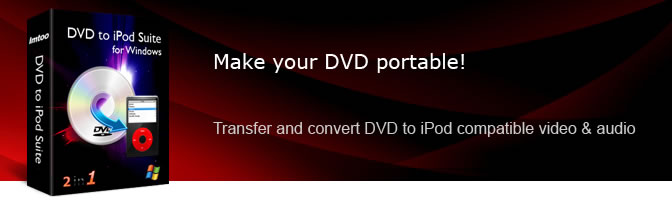

Products Included


Main Functions
 DVD movie to iPod converter
Convert DVDs to iPod videos (MPEG-4 & MP4); convert DVD movies to iPod videos; put DVD movies on iPod. Video to iPod Movie Converter
Convert AVI, MPEG, WMV, MKV, H.264, DivX, XviD, MOV, RM, and RMVB to iPod videos. Audio to iPod Music Converter
Convert MP3, M4A, WAV, WMA, AAC, AC3, OGG, RA, APE, and CDA to iPod audio (MP3, M4A, AAC); Convert DVD audio to iPod audio.
What's new
- Able to transfer the converted files to iPod directly.
- Makes the built-in player resizable.
- Switches the zoom mode between 4:3 and 16:9.
- Classifies the profile settings into different types.
- Adds the function of power management.
- Supports CD decoding.
- Auto detects CPU and supports multi-core CPU processing for maximum conversion speed.
- Auto checks for updates to keep the software up-to-date.
- Auto retrieves DVD info from the Internet such as DVD poster, title, director, and actor.
Key Features
- Supports all iPod/iPhone models: iPod nano, iPod touch, iPod classic, iPod shuffle, iPhone, iPhone 3G, iPhone 3GS.
- Able to transfer converted files to iPod directly after conversion.
- Resizable built-in player, adjustable aspect ratio (16:9 and 4:3), CD decoding, power management are all available.
- Convert DVD movie or video segment to iPod video with the required resolution for iPod video: 320*240.
- Split DVD title or video file into several iPod files with custom split size or time length.
- Specify the output file size and get the corresponding video bit rate with the Bitrate Calculator.
- Convert a file into multiple formats simultaneously. Convert a DVD movie with selectable subtitle/audio/angle.
- Adjust parameters to set output quality: bit rate, video size, frame rate, sample rate, codec, etc.
- Convert multiple files simultaneously at high speed with multithreading and batch processing.
- Preview DVD movie or video file before converting and take snapshots of movie images.
- Run tasks in the background to minimize CPU usage.
- Set system to auto shut down, hibernate, stand by, or exit application after a task is complete.


User Reviews
"There are so many video files and I often can't play them with my iPod. Although I looked for so many free software and found their interface are very "bad" for green apple like me. Finally, i'm so lucky to try the iPod video converter and I RECOMMEND THAT PROGRAM TO ALL OF THE PEOPLE! It's amazing to complete so many tasks with short time, it is unbelievable!!!" Albert van der Ploeg, German "Wow, OMG!!! What a fantastic and powerful package for iPod. I really didn't expect it can help me a lot. It can perfectly convert any video files to suit for my iPod. Furthermore it can make photo collection into iPod video, it's so wonderful!"Elizabeth, North New Zealand


-
- iTransfer Platinum Mac

- iPhone Transfer Platinum Mac
- iPad Mate Platinum Mac

- PodWorks Platinum Mac
- iPhone Ringtone Maker Mac
- iPhone Transfer Plus Mac
- iPad Mate for Mac
- PodWorks for Mac
- iPhone Contacts Transfer Mac
- DVD to Video for Mac
- DVD to MP4 Converter for Mac
- DVD to iPhone Converter for Mac
- Blu-ray to Video Converter for Mac
- DVD to iPad Converter for Mac
- DVD to Audio Converter for Mac
- DVD Creator for Mac
- Video Converter for Mac
- MP4 Converter for Mac
- 3D Movie Converter Mac
- Video Editor 2 for Mac
- Audio Converter Pro Mac
- YouTube Video Converter for Mac
- Download YouTube Video for Mac
- YouTube HD Video Downloader Mac
- YouTube to iTunes Converter Mac

- YouTube to iPhone Converter Mac
- HEVC/H.265 Converter for Mac
- iTransfer Platinum Mac
- More