


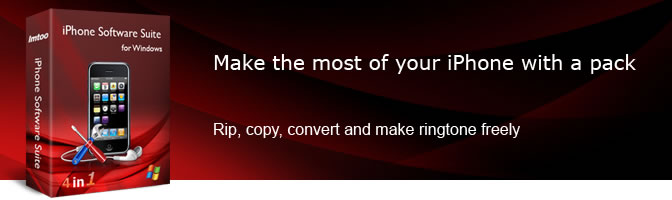

Products Included


Main Functions
 Convert DVD to iPhone Video/Music
Convert DVD movies to iPhone MP4/MPEG-4 videos and MP3/M4A/WAV audio and watch them on-the-go. Convert Video/Audio Files to iPhone
Supports decoding almost all video/audio files such as MPEG, AVI, WMV, DivX, H.264/AVC, 3GP, WMA, WAV, etc. and converting them to iPhone MP4/MOV video and iPhone music. Make iPhone Ringtones
Convert video/audio including AVI, MPEG, WMV, DivX, MP4, H.264/AVC, AVCHD, MKV, WMA, WAV, RA, M4A, MP3, etc. to M4R files and iPhone ringtones. Transfer Files Between Your iPhone and PC
Besides copying files from PC to iPhone, iPhone Transfer also helps you migrate files from your iPhone to iTunes and your PC Transfer Ringtones to iPhone Directly
Import the created iPhone ringtones in M4R format to iPhone directly without iTunes. Manage iPhone as a Portable Hard Disk
Access files on your iPhone like a removable hard drive through Windows Explorer.
What's new
- ImTOO iPhone Software Suite just upgraded to v5.
- Newly supports iPhone 4, iOS 4.1 and iTunes 10.
Key Features
- Split a file into several.
- Specify the exact output file size with Bitrate Calculator.
- Extract segments from a file and convert them to iPhone videos, music or ringtones.
- Convert a source file into multiple formats simultaneously while preserving original content.
- Optimize and modify parameters such as bit rate, frame rate, sample rate, resolution and so on.
- Easily manage iPhone playlists; rate and search for iPhone files without iTunes.
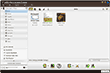
- Shows iPhone device info; view iPhone files as thumbnails or as a list.
- Run DVD/video to iPhone conversions in the background to save CPU resources.
- Preview your DVD movies and videos before conversion; preview your audio files before turning them into iPhone ringtones.
- Convert multiple files to iPhone videos/music in one go with batch-processing and multithreading.
- Preset the system to auto shut down, hibernate, stand by, or exit application at the end of a task to save you from waiting.
User Reviews
"I recently had interviews on DVD and needed to create audio files for my iPhone. I purchased your iPhone software Pack and it absolutely accomplished the job for me. Thanks!" Olivier D, France "I recently purchased the ImTOO Software Suite and I was impressed by its simplicity of use and its GUI. Overall I think your iPhone software is quite good." Ingrid N, Australia


-
- iTransfer Platinum Mac

- iPhone Transfer Platinum Mac
- iPad Mate Platinum Mac

- PodWorks Platinum Mac
- iPhone Ringtone Maker Mac
- iPhone Transfer Plus Mac
- iPad Mate for Mac
- PodWorks for Mac
- iPhone Contacts Transfer Mac
- DVD to Video for Mac
- DVD to MP4 Converter for Mac
- DVD to iPhone Converter for Mac
- Blu-ray to Video Converter for Mac
- DVD to iPad Converter for Mac
- DVD to Audio Converter for Mac
- DVD Creator for Mac
- Video Converter for Mac
- MP4 Converter for Mac
- 3D Movie Converter Mac
- Video Editor 2 for Mac
- Audio Converter Pro Mac
- YouTube Video Converter for Mac
- Download YouTube Video for Mac
- YouTube HD Video Downloader Mac
- YouTube to iTunes Converter Mac

- YouTube to iPhone Converter Mac
- HEVC/H.265 Converter for Mac
- iTransfer Platinum Mac
- More