


ImTOO YouTube Video Converter for Mac

Update: Jan 10, 2024
ImTOO YouTube Video Converter for Mac is powerful and convenient for YouTube fans. With its help, you can download YouTube videos such as MP4, FLV, Webm, even 3D videos and convert YouTube Videos to some popular formats.
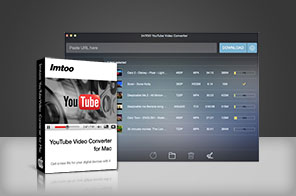


- Download YouTube videos (MP4, FLV, Webm) and convert to MP3, AVI, MPEG, MP4, 3GP, H.264, MKV, etc.
- Support downloading YouTube HD videos (1080p, 4k videos) and convert them for playback on PS3 and other HD devices.
- Convert any video files from local disk to other video formats such as WMV, MP4, MOV.
- Make YouTube videos play on various devices such as iPhone, iPad, Samsung Galaxy, etc.

Main Functions
 Download YouTube Videos
ImTOO YouTube Video Converter for Mac makes you download YouTube MP4, FLV, Webm, even 3D videos. YouTube HD video Downloader.
Directly download YouTube HD videos like 720p, 1080p and 4k videos to your computer with this YouTube downloader. YouTube Video Converter
Convert YouTube FLV, MP4, Webm format to other video formats such as MP3, AVI, MPEG, H.264/AVC, MOV, RM, etc. Playback YouTube Videos on Multimedia Devices
Convert YouTube videos to formats compatible with iPod, iPhone, iPad, Samsung Galaxy and other popular media devices. Convert Local Videos with Built-In Video Converter
Add local videos to convert to other video formats such as MKV, H.264/MPEG-4 AVC (*.mp4), MPEG2 HD Video (*.mpg; *.mpeg), MKV HD Video, Quick Time HD Video (*.mov), WMV HD Video (*.wmv), Audio-Video Interleaved HD Video (*.avi)
Key Features
- Support downloading MP4, FLV, Webm, even 3D videos from YouTube.
- After setting “Automatically Convert” in Conversion Settings, this YouTube Video Converter can automatically convert your downloaded videos to your specified video formats.
- You can set your output file just for specified devices like iPhone, iPad, Galaxy, HTC One, Moto X, Nexus, Kindle, Surface, Lumia, etc.
- Convert your local videos in different formats like AVI, MPEG, WMV, MKV, MP4, H.264/MPEG, RM, MKV, WMV HD, etc to any other videos.
- Support directly transferring MP4, MOV, MP3 files to iTunes.
- Users can customize YouTube video quality and output formats.
- The smarter design brings much easier usage and better user experiences.








User Reviews
"I've been using your YouTube Video Converter the Windows version for a long time. It's very stable. A couple days ago, I bought a new Mac and downloaded your YouTube converter for Mac. It's still stable and very easy to use. I'll recommend your software to all my friends."William, US


-
- iTransfer Platinum Mac

- iPhone Transfer Platinum Mac
- iPad Mate Platinum Mac

- PodWorks Platinum Mac
- iPhone Ringtone Maker Mac
- iPhone Transfer Plus Mac
- iPad Mate for Mac
- PodWorks for Mac
- iPhone Contacts Transfer Mac
- DVD to Video for Mac
- DVD to MP4 Converter for Mac
- DVD to iPhone Converter for Mac
- Blu-ray to Video Converter for Mac
- DVD to iPad Converter for Mac
- DVD to Audio Converter for Mac
- DVD Creator for Mac
- Video Converter for Mac
- MP4 Converter for Mac
- 3D Movie Converter Mac
- Video Editor 2 for Mac
- Audio Converter Pro Mac
- YouTube Video Converter for Mac
- Download YouTube Video for Mac
- YouTube HD Video Downloader Mac
- YouTube to iTunes Converter Mac

- YouTube to iPhone Converter Mac
- HEVC/H.265 Converter for Mac
- iTransfer Platinum Mac
- More