



Products Included


Main Functions
 Mac DVD to iPhone video converter
Convert DVD to iPhone MPEG-4 video files, and enjoy them on iPhone wherever you go. Mac DVD to iPhone music Converter
Extract music from DVD movies and convert DVD to iPhone, iPod and Apple TV audios like MP3, WAV and M4A. Mac iPhone video converter
Most video formats like AVI, MPEG, WMV, RM, RMVB, ASF, VOB and 3GP can be converted to iPhone MP4 videos. Mac iPhone music converter
Extract iPhone MP3, WAV, AAC and AIFF audios from video files, and convert other audios such as WMA, MP2, OGG, RA, AC3, APE, and CDA to iPhone music.
Key Features
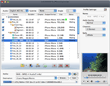
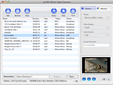
- ImTOO DVD to iPhone Suite helps you convert files at super fast speed on your Mac.
- Multithreading and batch conversion are supported, thus you can complete multiple conversions at one click.
- Many optimized profiles are offered to fit your iPhone, you can definitely find the one that fits you most.
- Trim video by setting the start and end time to get any preferred segment converted.
- Freely change the parameter settings to suit your need: video size, bit rate, frame rate, zoom modes, etc.
- Preview the DVD/video before conversion and take a snapshot when finding pictures you love.



User Reviews
"I appreciate your iPhone video converter software so much. It's so simple, efficient and the conversion between avi to mp4 is so fast beyond my imagination. I have been using it on mac since I got an iPhone. I had never resorted to other programs even if they were recommended by my friends." Jason, Houston "The program I was previously using was more expensive and did not provide the output quality that ImTOO software studio does. I have enjoyed using iPhone video converter on mac, and found that it is a great value for the price. "Stefanie, Canada


-
- iTransfer Platinum Mac

- iPhone Transfer Platinum Mac
- iPad Mate Platinum Mac

- PodWorks Platinum Mac
- iPhone Ringtone Maker Mac
- iPhone Transfer Plus Mac
- iPad Mate for Mac
- PodWorks for Mac
- iPhone Contacts Transfer Mac
- DVD to Video for Mac
- DVD to MP4 Converter for Mac
- DVD to iPhone Converter for Mac
- Blu-ray to Video Converter for Mac
- DVD to iPad Converter for Mac
- DVD to Audio Converter for Mac
- DVD Creator for Mac
- Video Converter for Mac
- MP4 Converter for Mac
- 3D Movie Converter Mac
- Video Editor 2 for Mac
- Audio Converter Pro Mac
- YouTube Video Converter for Mac
- Download YouTube Video for Mac
- YouTube HD Video Downloader Mac
- YouTube to iTunes Converter Mac

- YouTube to iPhone Converter Mac
- HEVC/H.265 Converter for Mac
- iTransfer Platinum Mac
- More