


Backup or Copy Movies between iPad and Mac without iTunes
ImTOO iPad Mate for Mac is really an assistant for Apple iPad and Mac users. With it, you can backup or copy movies, apps and music between iPad and Mac without iTunes. And also it can sync iPad files to iTunes (photos and videos shot by the device are also supported). As a DVD to iPad converter for Mac and iPad video converter for Mac, the iPad manager can convert CD/DVD discs and convert videos/audios/ISO images/IFO folder to iPad compatible formats.
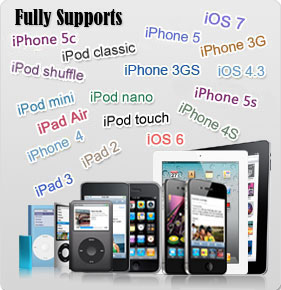
Fully Supports iTunes 12 and All iPads, iPhone and iPod
Practical features offered allow you to create your own playlists, edit soundtrack information, transfer files between several iOS devices simultaneously, preview DVD movies and videos, capture movie images and add artworks. Fully supports iTunes 12 and all iPad, iPhone and iPod including iPad, iPad mini, iPad Air, iPad Pro, iPod, nano, iPod mini, iPod shuffle, iPod classic, iPod touch, iPhone, iPhone 3G, iPhone 3GS, iPhone 4, iPhone 5S, iPhone 5C, iPhone 6, iPhone 6 Plus, iPhone 6S, iPhone 6S Plus. Give iPad Mate for Mac a try to see what it's really capable of!
Main Functions
 Transfer iPad files to Mac
Copy iPad apps, movies, music, TV shows, videos and photos to Mac directly. Transfer Mac Files to iPad
Import local files like movies, apps and music from Mac to iPad. Sync iPad to iTunes
Transfer iPad movies and music to iTunes library. Fully supports iTunes 12. Convert CD/DVD to iPad
Convert CD/DVD discs to iPad supported files and convert ISO images/IFO folder to iPad as well. Import and Export Contacts
Import and export contacts to save the trouble of losing important contacts information. Convert Various Videos/Audios to iPad
Convert your favorite videos and audios on Mac to iPad compatible formats and transfer them to iPad directly. Videos and audios supported: M2TS, MTS, AVI, MP4, MPEG-4, MPEG, WMV, DAT, TS, MPV, NSV, M4V, MOV, QT, H.261, H.264, MP3, AAC, WMA, AAC, AIF, AIFF, and AC3.
References
| Output Devices Supported | |
| iPad, iPad mini, iPad Air, iPad Pro (12.9/9.7/10.5/11 inch), iPod nano/mini/shuffle/classic/touch, iPhone 3G/3GS/4/5/5S/5C/SE/6/6S/7/8/X/XS/XR/11/12/13/14/15 Series. iOS 11 iTunes 12 |
|
| File Formats Supported | |
| CD/DVD | CD, DVD-Video, DVD folder, ISO file |
| Video | 3GP, 3G2, ASF, AVI, DV, DIF, VOB, FLV, M2TS, MTS, M4V, SWF, MKV, DVR-MS, MJPG, CDA, MJPEG, MOD, MPG, MPEG, MPA, DAT, TS, MPV, NSV, MOV, QT, H261, H264, RM, RMVB, WMV, ASF, XWMV |
| Audio | AAC, AIF, AIFF, AC3, APE, CUE, AU, FLAC, MPA, MP2, MP3, OGG, RA, WAV, WMA, CDA, M4A, MP4 |
| Image | BMP, GIF, JPEG, PNG |
System Requirements
| OS : | 32 bit: Mac OS X v10.6 - 10.14(Mojave) 64 bit: Mac OS X v10.9 - macOS Sequoia (Version 15) |
| Processor : | Intel® processor |
| RAM : | 512MB RAM |
| Free Hard Disk : | 100MB space for installation |
| Graphics Card : | Super VGA (800*600) resolution, 16-bit graphics card or higher |
| Others : | iTunes 9.1 or above, DVD-ROM drive |
Key Features
- Work well with all iPad/iPhone/iPod models: iPad, iPad mini, iPad Air, iPad Pro (12.9/9.7/10.5/11 inch), iPod nano/mini/shuffle/classic/touch, iPhone 3G/3GS/4/5/5S/5C/SE/6/6S/7/8/X/XS/XR/11/12/13/14/15 Series.
- Support several iOS devices at one time.
- Transfer apps between Mac and your devices, you can also manage documents for some apps.
- Read and export photos and videos shot by the device with ease.
- Transfer iPhone ringtones and PDF/EPUB books from Mac to devices and manage them as wish.
- Import and export contacts to save the trouble of losing important contacts information.
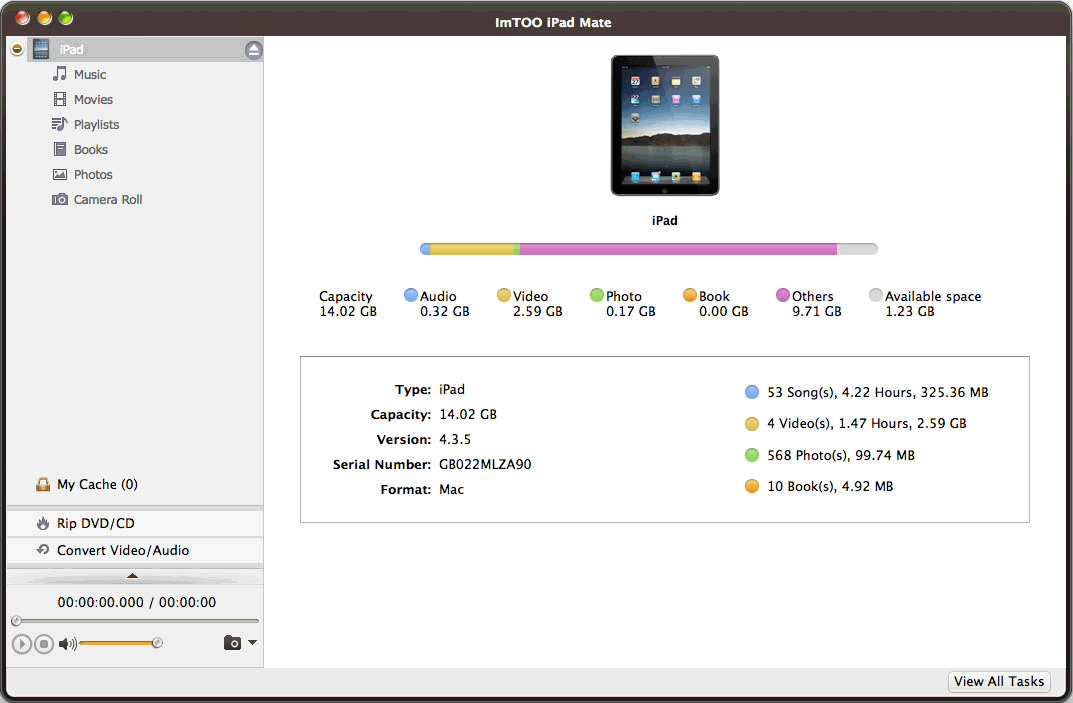
- Scan the connected iPad automatically and show its model, version, serial number, and capacity.
- Customize music file information: name, artist, album, composer, and year, etc.
- Quickly find what you want and search files with the filter which sorts files by Songs, Genres, Artists and Albums.
- Create your own playlists and copy them to device or iTunes or rename the playlist. Transfer songs from one playlist directly to another.
- Make your comments on the music files and rate them by star icon.
- Preview DVD movies and videos with the built-in player.
- Take snapshots for your favorite images while previewing and save them as JPG, PNG or BMP files.
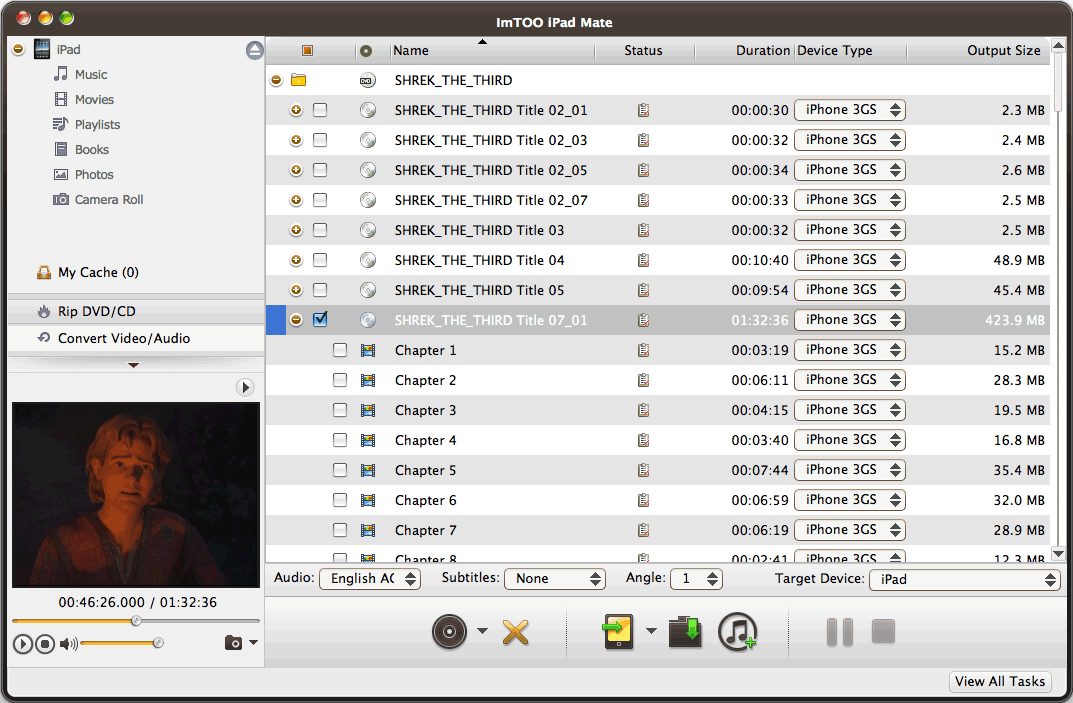
- Convert videos/audios in other formats, ISO images and IFO folder on your Mac to iPad formats and transfer them to iPad in one click.
- Convert and transfer CD/DVD discs to iPad, watch your desired DVD movies and enjoy music CDs on iPad.
- • A resizable player is embedded in the Mac iPad converter for you to preview DVDs, videos and audios.
- Multiple language interfaces available: English, Italian, Spanish, German, French, Traditional Chinese, Simplified Chinese and Japanese.
What's new
- Fully compatible with iOS 17, iPhone 15, iPhone 15 Plus, iPhone 15 Pro, iPhone 15 Pro Max
- Fully compatible with iOS 6, iTunes 12.0, and iPhone 5, iPad 4, iPad mini, iPod touch 5, iPod nano 7
- Transfer apps and manage app documents
- Import and export contacts
- Transfer songs from one playlist to another
- Support iOS 4.3, iOS 5.1
- Add eBook management feature
- Add iPhone ringtone management feature
- Multiple view types to show music, movies and photos
| Tutorial : | ImTOO iPad Mate Mac Tutorial |
| iPad for Mac Products : Comparison |
iPad Mate Platinum for Mac |
| iPad Mate for Mac | |
| iPad to Mac Transfer |
Backup and transfer movies and audios from iPad to Mac, from Mac to iPad, and from iPad to iTunes.
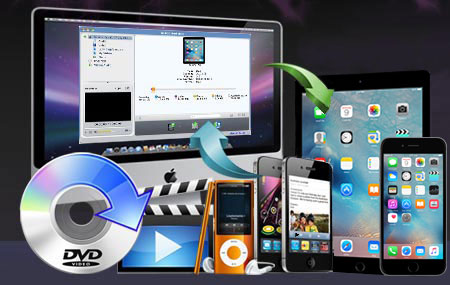
- Transfer apps, movies and music on Mac to iPad without iTunes
- Backup iPad to Mac and iTunes
- Convert home CD/DVD discs to iPad movies and audios
- Convert videos/audios/ISO images/IFO folder to iPad
- Manage photo albums into customized photo albums
- Connect multiple iOS devices simultaneously
- Photos/videos shot by the device are supported now
- Fully support latest iPhone/iPad/iPod, iOS 17 and iTunes 12
- "Your iPad Mate for Mac is the most powerful iPad software I've ever used. The converted videos can be played on my new iPad perfectly." - Crispin, US
- "Just got the iPad Mate for Mac. The output quality is really great. Very easy to handle." - Mundle, US
- "It's really easy to use, and it helped I reinstalled my computer. It worked perfectly." - Roy ,US