


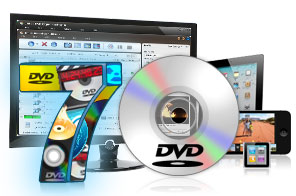


- Convert Home DVD and convert to almost all video or audio formats
- HD Home DVD converter, convert Home DVD to HD videos
- Numerous video effects to choose from
- Add subtitles and soundtracks to movies
- Video-editing features: Clip, Merge, Split and Crop
- Convert files compatible with most portable players, newly support Apple New iPad and Google Android-based phones
- ImTOO DVD to Video supports multithreading converting
- Fast converting speed and high quality conversion
- Can't rip/convert DVD with copyright

ImTOO DVD to Video Family
Choose edition


ImTOO DVD to Video is a powerful DVD converting software application to convert DVD movies to almost all video and audio formats (convert DVD to AVI, DVD to MP4, DVD to MPEG, DVD to WMV, DVD to DivX; convert DVD to MP3, DVD to WMA) with high DVD converting speed and exceptional quality. You can now enjoy your entire DVD collection on multimedia players such as iPod, iPad, iPhone, Apple TV, PSP, PS3, BlackBerry, iRiver PMP, Windows Mobile phone, Xbox and mobile phones all made possible with the ImTOO DVD to Video!
ImTOO DVD to Video also features video or audio-editing options prior to convertping - cut certain clips, merge several clips into one with transitional effects added, crop selected scenes, add subtitles and soundtracks and attach watermarks. Engined with NVIDIA CUDA & ATI APP technology, 5X faster processing performance is delivered. Other features include setting the target file size before conversion; running ImTOO DVD to Video in the background to save resources; and even setting an action (shutdown, exit, standby or hibernate) to auto perform after a task is done. Try the ImTOO DVD to Video out for yourself FREE now!
Main Functions
 DVD to Video Expert - Convert DVD to AVI, H.264/AVC, FLV Video
Convert DVD movies to AVI, H.264/AVC, FLV, WMV, MP4, MPEG, RM, MOV, XviD, 3GP, VOB, ASF, DV and many others. High-Definition (HD) DVD to Video - Convert DVD to HD, AVCHD Video
Convert DVD movies to HD AVI, HD MPEG-2/4, HD H.264/MPEG-4 AVC, HD WMV, HD Quick Time, HD VOB, HD ASF videos, and other HD video formats. DVD to Audio Converter - Convert DVD to Audio
Extract audio from DVD movies and convert DVD audio to MP3, WMA, WAV, RA, M4A, AAC, AC3, OGG, MP2 or any other popular audio format. Clip, Merge and Split Videos
Clip segments from a DVD title/chapter; merge several titles/chapters into one with added transitions; split a title/chapter into segments. Breathtaking Video Effects
Crop movie image frame; apply artistic effects; add and adjust multiple subtitles/soundtracks; attach watermarks. High Speed DVD Converting
Fast convert multiple titles/chapters with support for multi-core CPU processing and NVIDIA CUDA & AMD APP technology, multithreading and batch conversion.
What's new
- Fully compatible with iOS 17, iPhone 15, iPhone 15 Plus, iPhone 15 Pro, iPhone 15 Pro Max
- Fully support iPhone 6, iPhone 6 Plus
- Optimized the profile parameters of GPU acceleration.
- ImTOO DVD to Video supports multithreading conversion
- Spins the scene and cuts the unuseful part, such as the black frame.
- Supports profile parameters: Main, Baseline and High.
- Supports preset parameters: Ultrafast, Superfast, Veryfast, Faster, Fast, Medium, Slow, Slower.
- Supports GPU acceleration when output to MKV format.
- Allow adding multiple tracks into a single file when output to MKV format.
- Supports adding cover when output to M4A and AIFF formats.
- AIFF format supports metadata.
- Accelerated ACC encoding speed.
- Fixed bugs.
Key Features
- Convert DVD movies to video files playable on devices such as iPad, iPod,iPhone, Apple TV, PSP, PS3, BlackBerry, iRiver PMP, Windows Mobile phone, Xbox, mobile phone, NDS, Wii, and many others.
- Transfers converted DVD movies to iPod, iPad, iPhone or PSP directly after converting.
- Auto capture pictures from movies at regular intervals and convert them to JPG, GIF, PNG, and BMP image formats.
- This DVD Converter will adjust output parameters include bit rate, frame rate for fluency, sample rate, audio channel, codec and many more.
- Auto retrieves disc info (such as director, actors/actresses) from the Internet.
- Compute the output file size and the corresponding bit rate with the Bitrate Calculator.
- Convert a DVD movie with subtitle, audio and angle of your choice.
- Convert any segment from a DVD movie by specifying the start time and duration of the segment.
- Convert a DVD title/chapter into multiple formats in one go; clone a title and output it to several files with the same file content.
- Take snapshots from a movie while previewing with the built-in resizable player and save them as JPG, GIF, PNG, or BMP format.
- Set application so it will auto exit, shut down, hibernate, or stand by system after a task is complete.
- Run DVD convertingtasks in the background to save time and effort.
- Supports system power management.
- ImTOO DVD to Video is available in English, French, German, Spanish, Japanese and Chinese interface languages.


User Reviews
"I tested the current versions of several popular DVD Converter software, looking for ease of use, variety of options, and quality of exported .AVI. Of these DVD Converters, we found that ImTOO DVD to Video was superior to the others we tried." Jeremy Hanke, USA "1.File Compression/Size. Your DVD Converter by far had the best compression.2.Quality. I can see no difference in the quality between the original DVD and the one that your DVD Converter made.
3.UI. By far the easiest layout and the easiest to figure out how to use." Tony D, US


-
- iTransfer Platinum Mac

- iPhone Transfer Platinum Mac
- iPad Mate Platinum Mac

- PodWorks Platinum Mac
- iPhone Ringtone Maker Mac
- iPhone Transfer Plus Mac
- iPad Mate for Mac
- PodWorks for Mac
- iPhone Contacts Transfer Mac
- DVD to Video for Mac
- DVD to MP4 Converter for Mac
- DVD to iPhone Converter for Mac
- Blu-ray to Video Converter for Mac
- DVD to iPad Converter for Mac
- DVD to Audio Converter for Mac
- DVD Creator for Mac
- Video Converter for Mac
- MP4 Converter for Mac
- 3D Movie Converter Mac
- Video Editor 2 for Mac
- Audio Converter Pro Mac
- YouTube Video Converter for Mac
- Download YouTube Video for Mac
- YouTube HD Video Downloader Mac
- YouTube to iTunes Converter Mac

- YouTube to iPhone Converter Mac
- HEVC/H.265 Converter for Mac
- iTransfer Platinum Mac
- More