


ImTOO Video Converter for Mac


Update: Jan 10, 2024




- Convert High-definition (HD) videos (incl. AVCHD (*.m2ts, *.mts), H.264/MPEG-4 AVC, H.265/HEVC, MPEG-2 HD, MPEG-4 TS HD, MPEG-2 TS HD, Quick Time HD, WMV HD, AVI HD) on Mac.
- Convert Standard-definition (SD) videos (incl. AVI, MPEG, WMV, MP4, H.264, MOV, FLV) on Mac.
- Convert normal 2D videos into breathtaking 3D format and play them on your Mac, 3D TV, etc.
- Extract audio from videos; convert popular audio files; turn pictures into videos & vice versa.
- Works with iPad, iPhone, iPod, Apple TV, PSP, PS3, Xbox360, Zune, PMPs, Google phones, mobile phones & many others.
- Crop/clip/split/merge; add watermarks/soundtracks/effects.
- Now fully support Mac OS X 10.11 EI Capitan.





Looking to convert all your normal videos in your Mac to 3D videos? Look no further than ImTOO Video Converter for Mac. This versatile Mac video converter can convert between nearly all HD and SD format videos, and convert them into 3D videos with amazing image quality. Among the many video formats supported by this great Video Converter for Mac include AVCHD (*.m2ts, *.mts), H.264/MPEG-4 AVC, H.265/HEVC, MPEG-2 HD, MPEG-4 TS HD, MPEG-2 TS HD, Quick Time HD, WMV HD, AVI HD, MKV, H.264/AVC, AVI, WMV, MPEG, MP4, MOV and many others. It can also work as an audio converter to convert between all popular audio files such as MP3, WMA, AAC, WAV, CDA, OGG, APE, CUE and so on.
ImTOO Video Converter for Mac supports most multimedia devices including the iPad, iPhone, iPod touch, Apple TV, PSP, PS3, BlackBerry, Zune, Archos, iRiver, Creative Zen Vision, Xbox360, Google phones, and mobile phones. In addition, you can also edit your files by clipping/merging/splitting/cropping, adding watermarks/soundtracks/effects using this perfect Mac video converter. Try it for FREE now!
Main Functions
 HD Video Converter for Mac - Decode & Encode HD Videos
Convert most HD videos including H.264/MPEG-4 AVC, H.265/HEVC, AVCHD, Apple TV H.264 720P, MKV, HD WMV, MPEG2/MPEG-4 TS HD Videos to different HD/SD videos for Mac users. Video/Audio Converter for Mac - Convert Video/Audio Files
Convert between video formats (AVI, MPEG, WMV, DivX, MP4, H.264/AVC, MKV, MOV, etc.); convert between audio files (MP3, WMA, WAV, M4A, FLAC, APE, etc.); extract audio from video files. 2D to 3D and 3D to 3D Video Converter for Mac
Convert all kind of 2D movies and home-made videos to high quality 3D videos in just a couple of clicks. It also enables you to convert the format of 3D movies.(Note: Watching 3D videos require the following: 3D glasses and monitor or TV.) Image Converter & Extractor - Convert between Videos & Pictures
Turn images into videos; extract images in batches from videos. Video Editor - Crop Video Frame, Add Effects/Watermarks/Soundtracks
Crop the video frame to retain what you want; adjust/add video effects; add watermarks to label your video; add audio track to your video.- Video Clipper & Merger - Clip & Merge Videos
Clip segments from video then optionally merge them together; merge several video clips together with transitions inserted.
What's new
- Fully compatible with iOS 17, iPhone 15, iPhone 15 Plus, iPhone 15 Pro, iPhone 15 Pro Max
- Fully support iPhone 6, iPhone 6 Plus
- Support Mac OS X 10.8.
- Supports 3D video conversion function.
- Optimized the profile parameters of GPU acceleration.
- Supports profile parameters: Main, Baseline and High.
- Supports preset parameters: Ultrafast, Superfast, Veryfast, Faster, Fast, Medium, Slow, Slower.
- Supports GPU acceleration when output to MKV format.
- Supports adding multiple tracks into a single file when output to MKV format.
- Supports adding cover when output to M4A and AIFF formats.
- AIFF format supports metadata.
- Accelerated ACC encoding speed.
Key Features
- Transfer converted files directly to iPod, iPhone, iPad and PSP after conversion.
- Convert standard video to 3D video, also convert format between 3D videos.
- Support video shot by nearly all kind of DVs.
- Introduce unique transitions in between merged picture/video items.
- With ImTOO Video Converter for Mac you can add audio track to videos.
- Comes with optimized conversion profiles for all popular multimedia devices including the iPod, iPhone, Apple TV, PSP, PS3, BlackBerry, Zune, Archos, iRiver, Creative Zen Vision, and Xbox.
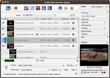
- Convert multiple files at super fast conversion speed simultaneously with batch processing and multithreading.
- Output source file into multiple formats simultaneously.
- Split a large file into several by customized split time or size.
- Compute the output file size and its video bit rate with the built-in Bitrate Calculator.
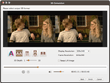
- Preview the edited video and compare it with the original side by side in real-time.
- Take snapshots of video images whilst previewing.
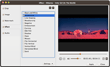
- Adjust a wide range of output parameters including bit rate, frame rate, zoom, sample rate, split mode and many more.
- User interface available in English, French, German, Spanish, Italian, Portuguese, Japanese and Chinese.



User Reviews
"If you're looking for a nearly effortless way to convert, split, and join video clips among a variety of major formats, consider ImTOO Video Converter for Mac. The interface is simple, with a large status window and only a few buttons. You'll do most of your work through the Add Task icon, where you'll find options for converting, splitting, and joining video files; extracting audio; and turning video into images. In our tests, this video converter for Mac performed all its duties without a hitch. It supports such popular formats as MPEG, WMV, AVI, DivX, and ASF. Due to its user-friendly interface, it will probably appeal mostly to first-timers or novices." CNET Editorial Reviews "I downloaded and installed your Video Converter for Mac just the other day on my Mac and so far, it is, by far, the best value, best working software Ive ever bought. Congratulations on a terrific product!.. Your product has a very nice look and fell, and actually delivers more than I thought when I purchased it. " Doug Bays, Ontario, Canada


-
- iTransfer Platinum Mac

- iPhone Transfer Platinum Mac
- iPad Mate Platinum Mac

- PodWorks Platinum Mac
- iPhone Ringtone Maker Mac
- iPhone Transfer Plus Mac
- iPad Mate for Mac
- PodWorks for Mac
- iPhone Contacts Transfer Mac
- DVD to Video for Mac
- DVD to MP4 Converter for Mac
- DVD to iPhone Converter for Mac
- Blu-ray to Video Converter for Mac
- DVD to iPad Converter for Mac
- DVD to Audio Converter for Mac
- DVD Creator for Mac
- Video Converter for Mac
- MP4 Converter for Mac
- 3D Movie Converter Mac
- Video Editor 2 for Mac
- Audio Converter Pro Mac
- YouTube Video Converter for Mac
- Download YouTube Video for Mac
- YouTube HD Video Downloader Mac
- YouTube to iTunes Converter Mac

- YouTube to iPhone Converter Mac
- HEVC/H.265 Converter for Mac
- iTransfer Platinum Mac
- More