


ImTOO DVD Copy 2 for Mac

Update: Nov 16, 2021
ImTOO DVD copy for Mac is an excellent Mac DVD copier and burner software which enables you to copy DVD from disc to disc, back up DVDs to Mac with high quality.
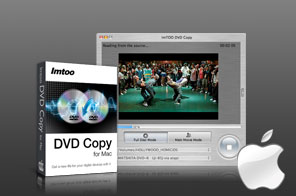


- ImTOO Home DVD Copy for Mac is definitely the best solution to backup and copy Home DVD movies to Mac. Clone Home DVD perfectly in 1:1 ratio from one disc to another or copy Home DVD movies to ISO files/DVD folder for backup.
- On top of that, ImTOO Home DVD Copy for Mac can also burn ISO files or Home DVD folder to Home DVD disc as Mac Home DVD burner software, copy DVD's main movie or several titiles only, choose subtitle and audio track to optimize and customize the output DVD.

Main Functions
 DVD copy
Clone and copy DVD movies in 1:1 ratio from disc to disc for backup. DVD backup
Backup DVD to ISO image file or DVD folder on the hard disk for solid backup. DVD burning
Burn ISO image files or DVD folder to DVD movies, and enjoy a visual feast with home or portable DVD player.
Key Features
- "Full Disc" DVD copy mode: copy the whole DVD disc to get a new one exactly consistent with original DVD movie.
- "Main Movie" DVD copy mode: copy main movie only with all the special features, intros, trailer and ads cut off to optimize DVD copy quality.
- "Customize" mode to copy only the titiles you want to retain from the whole DVD disc.
- Compatible with any DVD movies, no need to worry about the region code of DVD movies.
- Audio, subtitle and menu are selective to make a special copy of DVD movie.
- High compatibility with most DVD disc formats; both NTSC and PAL television standards are supported.
- Just 3 steps to finish DVD copy: select source, select target and hit copy button.
- Stable and fast DVD copy engine is built in this Mac DVD copier and DVD burner.
- Viewing DVD information is supported.
- Preview DVD video before copying with built-in player.


User Reviews
"...I really like this DVD Copy for Mac software. I am particularly impressed that it can copy DVD on Mac perfectly in 1:1 ratio. It is clear that some real careful thought went into designing this product so it would be the most useful to users in both the US and Europe...." Nico B, The Netherlands "First of all I would like to thank you for your wonderful customer support. I am a complete newbie to this copy DVD thing, with your Step by Step Tutorials I was able to get my first own DVD movie. I'll be telling all my family, friends and co-workers about this great software and service."Mark, USA


-
- iTransfer Platinum Mac

- iPhone Transfer Platinum Mac
- iPad Mate Platinum Mac

- PodWorks Platinum Mac
- iPhone Ringtone Maker Mac
- iPhone Transfer Plus Mac
- iPad Mate for Mac
- PodWorks for Mac
- iPhone Contacts Transfer Mac
- DVD to Video for Mac
- DVD to MP4 Converter for Mac
- DVD to iPhone Converter for Mac
- Blu-ray to Video Converter for Mac
- DVD to iPad Converter for Mac
- DVD to Audio Converter for Mac
- DVD Creator for Mac
- Video Converter for Mac
- MP4 Converter for Mac
- 3D Movie Converter Mac
- Video Editor 2 for Mac
- Audio Converter Pro Mac
- YouTube Video Converter for Mac
- Download YouTube Video for Mac
- YouTube HD Video Downloader Mac
- YouTube to iTunes Converter Mac

- YouTube to iPhone Converter Mac
- HEVC/H.265 Converter for Mac
- iTransfer Platinum Mac
- More