


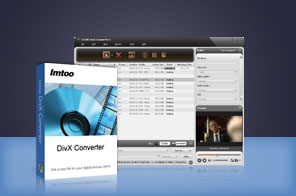


- Convert DivX video from popular video formats (incl. AVI to DivX, MKV to DivX, MP4 to DivX, 3GP/MPEG/MOV/RM/WMV/VOB to DivX) & convert between supported video formats
- Extract audio from videos and convert them to MP3 & M4A audio
- Multi-file conversion with high speed and exceptional output quality

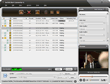
Professional video converter for all your DivX video conversion needs. ImTOO DivX Converter can convert various video formats such as AVI, MKV, MPEG, MP4, MOV, RM, WMV, 3GP, and VOB to DivX format. With this powerful software, you can also extract and convert audio from various video formats.
ImTOO DivX Converter comes with many useful features allowing you to convert a video segment, customize the output file size, split videos, and adjust parameters amongst others. Try out the program for Free now!
Main Functions
 DivX Video Converter & General Video ConverterConvert videos including 3GP, AVI, MKV, MPEG-4, MP4, MOV, RM, and WMV to DivX; convert between all supported video formats.
 M4A & MP3 Audio ExtractorExtract and convert audio from videos to MP3 and M4A formats (such as DivX to MP3) with great sound quality.
 Batch ConversionConvert several video files to DivX and other formats simultaneously with its batch conversion functionality.
What's new
- Fully compatible with iOS 17, iPhone 15, iPhone 15 Plus, iPhone 15 Pro, iPhone 15 Pro Max
- Fully support iPhone 6, iPhone 6 Plus
- Fully support iPhone 5, iPad mini and iPad 4.
- Optimized the profile parameters of GPU acceleration.
- Supports profile parameters: Main, Baseline and High.
- Supports preset parameters: Ultrafast, Superfast, Veryfast, Faster, Fast, Medium, Slow, Slower.
- Supports adding cover when output to M4A formats.
- Fixed bugs.
- Supports AMD APP technology
- Makes the built-in player resizable
- Switches the zoom mode between 4:3 and 16:9
- Classifies the profile settings into different types
- Adds the function of power management
Key Features
- Adopt NVIDIA CUDA & AMD APP technology to increase conversion speed up to 5X.
- Supports multi-core CPU offering the highest video conversion speed possible.
- Split a video file into several DivX or other file types by user-defined split time or file size.
- Clip and convert any segment from the original video by specifying its start time and duration.
- Get file converted to the required size precisely with the Bitrate Calculator.
- Convert a file into multiple formats simultaneously.
- Adjust parameters such as bit rate, frame rate, codec, resolution, quality and audio channel.
- Preset a "post-task action" (exit application, shut down, hibernate, stand by system) and the desired action will be automatically performed at the end of a task.
- Set the DivX converter to work in the background to minimize CPU usage.
- Preview video with the built-in resizable player, take snapshots from it and save them as JPG, GIF, PNG or BMP image.
- Offers the function of power management.
User Reviews
"After trying various different DivX video converter software, i decided to get the full version of your program. It is the best one i've tested so far! Thank you!" Jane, USA


-
- iTransfer Platinum Mac

- iPhone Transfer Platinum Mac
- iPad Mate Platinum Mac

- PodWorks Platinum Mac
- iPhone Ringtone Maker Mac
- iPhone Transfer Plus Mac
- iPad Mate for Mac
- PodWorks for Mac
- iPhone Contacts Transfer Mac
- DVD to Video for Mac
- DVD to MP4 Converter for Mac
- DVD to iPhone Converter for Mac
- Blu-ray to Video Converter for Mac
- DVD to iPad Converter for Mac
- DVD to Audio Converter for Mac
- DVD Creator for Mac
- Video Converter for Mac
- MP4 Converter for Mac
- 3D Movie Converter Mac
- Video Editor 2 for Mac
- Audio Converter Pro Mac
- YouTube Video Converter for Mac
- Download YouTube Video for Mac
- YouTube HD Video Downloader Mac
- YouTube to iTunes Converter Mac

- YouTube to iPhone Converter Mac
- HEVC/H.265 Converter for Mac
- iTransfer Platinum Mac
- More