


ImTOO MOV to FLV Converter

Update: Nov 16, 2021
ImTOO MOV to FLV Converter owns the function to convert video format from MOV to FLV in great quality.
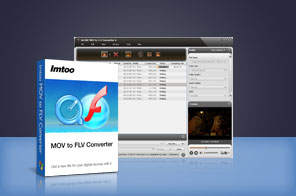


- ImTOO MOV to FLV Converter is a professional MOV to FLV converter, which can efficiently convert Quick Time MOV video to FLV video with excellent sound and image quality.
- With ImTOO MOV to FLV Converter, you are capable to directly convert any MOV clips, split a MOV file, customize file size, and adjust parameters. Free download MOV to FLV converter to enrich your enjoyment.
Main Functions
 Convert MOV to FLV video
ImTOO MOV to FLV Converter can easily convert Quick Time MOV to FLV video with high speed and excellent quality. High-speed conversion
With the support for multi-core CPU, it provides the highest conversion speed to convert MOV to FLV video. Batch conversion
The MOV to FLV converter allows you to convert multiple MOV files to FLV videos in batches at a time.
Key Features
- Split a large MOV file into several clips in smaller size by the user-defined split time or file size.
- Any clips from the original MOV file can be directly converted. You just need to simply enter the start time and duration.
- To get the best output results, you can set parameters such as bit rate, frame rate, codec, and resolution.
- Output more than one FLV file for one original MOV file only once by adding multiple profiles.
- Customize the output file size you want using Bitrate Calculator with the video bit rate calculated instantly.
- No need to wait for the conversion to end with applying one of after-done actions: exit, shutdown, standby, hibernate.
- The MOV to FLV converter can finish the conversion in background. So you can run other programs at the same time.
- Snapshot option helps you capture movie images you like while previewing vide and save as JPG, BMP, PNG, GIF.
- Preview the video files with the built-in resizable player (4:3 and 16:9 zoom modes).
- Offers the function of power management.
User Reviews
"It is one of the most comprehensive, powerful and easy to use MOV to FLV converter software I've found. Moreover, it has a pretty nice feature of where I can just let the program run its course with long list, and do it with the option of having the program shut the computer down when it's done its work. "Zoe, USA


-
- iTransfer Platinum Mac

- iPhone Transfer Platinum Mac
- iPad Mate Platinum Mac

- PodWorks Platinum Mac
- iPhone Ringtone Maker Mac
- iPhone Transfer Plus Mac
- iPad Mate for Mac
- PodWorks for Mac
- iPhone Contacts Transfer Mac
- DVD to Video for Mac
- DVD to MP4 Converter for Mac
- DVD to iPhone Converter for Mac
- Blu-ray to Video Converter for Mac
- DVD to iPad Converter for Mac
- DVD to Audio Converter for Mac
- DVD Creator for Mac
- Video Converter for Mac
- MP4 Converter for Mac
- 3D Movie Converter Mac
- Video Editor 2 for Mac
- Audio Converter Pro Mac
- YouTube Video Converter for Mac
- Download YouTube Video for Mac
- YouTube HD Video Downloader Mac
- YouTube to iTunes Converter Mac

- YouTube to iPhone Converter Mac
- HEVC/H.265 Converter for Mac
- iTransfer Platinum Mac
- More