


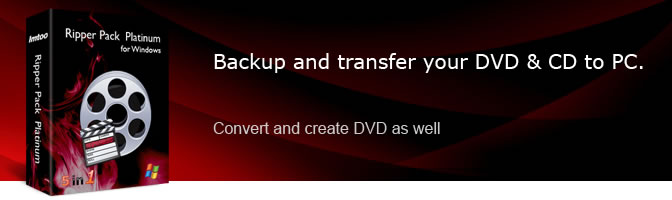


Main Functions
 DVD to Video/Audio Converter
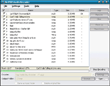
Convert DVDs to all kinds of video and audio formats such as AVI, MPEG, WMV, DivX, MP4, H.264/AVC, and MP3, amongst many others. Video Converter & Audio Converter
Convert among nearly all video and audio formats including AVI, H.264/AVC, VOB, MPEG4, RM, MOV, M4V, MP3, WMA, WAV, and M4A, amongst many others. Video to DVD Movie Creator
Convert AVI, MPEG, DivX, XviD, VOB and WMV to DVD movies; burn DVDs, create ISO files or DVD folders. CD to MP3 Converter & Audio Encoder
Convert music from CDs and convert CD audio to MP3, MP2, WMA, WAV, and OGG; encode MP4, MP3, WMA, WAV, VQF, and APE.
What's new
- DVD to Video, Video Converter just upgraded to v7.
- Enable the function of transferring the output files to iPod, iPhone or PSP.
- Makes the built-in player resizable.
- DVD Creator supports HD videos including MKV, TS, MOV, MTS, and M2TS as the input formats.
- Revamped menu template and added a menu template group
- Added support for opening DVD film clip.
- Edit video clips in the DVD menu section. Create title thumbnail in the DVD menu section using pictures or video clips.
- Allows to crop a DVD video frame to the required size, add watermarks and other effects before creating DVD movie.
Key Features
- Supports converting HD video formats: H.264/MPEG-4 AVC, AVCHD Video (*.m2ts, *.mts), MKV, etc.
- Supports multithreading and batch conversion: convert DVD/video files in batches at high speed.
- Ability to run tasks in the background without disturbing your work.
- Convert JPG/GIF/PNG/BMP format pictures to videos, capture images from DVD/video, and convert between picture formats.
- Clip a DVD title with selectable subtitle and audio; either output clipped videos individually or as a merged file.
- Split a file into several. Convert DVD movie/video segment with customized start time and duration.
- Set the size of the output file and calculate its video bit rate using the Bitrate Calculator.
- Create a DVD menu from one of many unique templates; add background picture, music and title to personalize your menu.
- Customize conversion parameters such as bit rate, video size, and audio codec, amongst others.
- Convert a file into several different formats in one go.
- Keeps original ID3 tag info after conversion. Edit ID3 tag info such as album, title, and artist.
- Supports encoding with variable bitrate (VBR) or constant bitrate (CBR).




User Reviews
"1.File Compression/Size. Your software by far had the best compression. 2.Quality. I can see no difference in the quality between the original DVD/video and the one that your software made. 3.UI. By far the easiest layout and the easiest to figure out how to use." Tony D, US "Well, this software contains everything! I don't want to buy dvd Converter one day, and purchase video converter another day, so I got this software pack, with such a high discount price!"Joseph Holton, US


-
- iTransfer Platinum Mac

- iPhone Transfer Platinum Mac
- iPad Mate Platinum Mac

- PodWorks Platinum Mac
- iPhone Ringtone Maker Mac
- iPhone Transfer Plus Mac
- iPad Mate for Mac
- PodWorks for Mac
- iPhone Contacts Transfer Mac
- DVD to Video for Mac
- DVD to MP4 Converter for Mac
- DVD to iPhone Converter for Mac
- Blu-ray to Video Converter for Mac
- DVD to iPad Converter for Mac
- DVD to Audio Converter for Mac
- DVD Creator for Mac
- Video Converter for Mac
- MP4 Converter for Mac
- 3D Movie Converter Mac
- Video Editor 2 for Mac
- Audio Converter Pro Mac
- YouTube Video Converter for Mac
- Download YouTube Video for Mac
- YouTube HD Video Downloader Mac
- YouTube to iTunes Converter Mac

- YouTube to iPhone Converter Mac
- HEVC/H.265 Converter for Mac
- iTransfer Platinum Mac
- More