


ImTOO Video to DVD Converter for Mac

Update: Nov 23, 2023
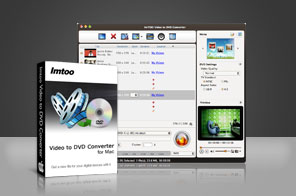


- Convert different format video files (incl. MP4, MKV, AVI, DivX, XviD, HD camcorder videos (M2TS, MTS, TS), MPG, MPEG) to DVD movies, ISO files & DVD folders.
- Make professional-looking DVD menus.
- Comprehensive movie editing & video to Home DVD customization.
- Supports multithreading for high-speed video to Home DVD conversion on Mac OS.
- The videos shot by iPhone 8, iPhone 8 Plus, iPhone X, iOS 17, DV can be burned into Home DVD movie disc, making it easy to share your iPhone videos with friends.

The quickest and the easiest way to convert video files in most formats to DVD movies, ImTOO Video to DVD Converter for Mac can convert files (including HD videos) in MP4, MKV, AVI, DivX, XviD, HD camcorder videos (M2TS, MTS, TS), iPhone 4/iPhone 4S and other smart phone videos (MOV), MPG, MPEG, QuickTime Videos (MOV, QT), DV, VOB, Real Video (RM, RMVB), WMV, H.264/AVC, ASF, DAT, FLV, 3GP format to DVD movies, ISO files and DVD folders.
ImTOO Video to DVD Converter for Mac also features comprehensive movie editing and video to DVD customization functionalities: create DVD menus, clip movie segments, crop the movie image frame, add artistic effects, attach watermarks, create a multilingual movie with multiple subtitles and soundtracks, amongst other great features. The great Video to DVD Converter for Mac also offers high-speed video to DVD conversion with multithreading fully supported. Try out ImTOO Video to DVD Converter for Mac FREE now!
Main Functions
 Video to DVD Conversion on Mac
Convert video files in formats including MP4, MKV, AVI, DivX, XviD, HD camcorder videos (M2TS, MTS, TS), iPhone 4 videos (MOV), MPG, MPEG to DVD movies on Mac. ISO File and DVD Folder Creation on Mac
Make ISO files and DVD folders for video files. DVD Menu Creation on Mac
Create DVD menu with custom template, video thumbnails, title, background picture and music, and opening film. DVD Movie Editing
Clip segments from movies; crop the movie frame; apply artistic effects; attach watermarks; add up to 32 subtitles and 8 soundtracks. High-Speed Video to DVD Conversion
Supports multithreading offering high-speed video to DVD conversion.
Key Features
- Clip your favorite movie segments and merge them together to create DVD movie.
- Adjust output parameters such as video/audio quality, bit rate, television standard and so on.
- Create a DVD movie with the menu skipped and main DVD movie played directly when loaded.
- Set an interval for adding chapters to your DVD title; chapters will be added automatically during DVD creation.
- Crop the black frame or any unwanted part for the video picture.
- Supports DVD-R, DVD+R, DVD-RW, DVD+RW, DVD+R DL, DVD-R DL, DVD-5, DVD-9 as target DVD formats.
- Preview your movie prior to burning, compare the original video with the edited version, and take snapshots while previewing.
- ImTOO Video to DVD Converter for Mac's interface is available in English, French, Portuguese, Italian, German, Spanish, Japanese, Traditional and Simplified Chinese.
User Reviews
"One of the best way to create DVD on Mac OS!"Lowell, US


-
- iTransfer Platinum Mac

- iPhone Transfer Platinum Mac
- iPad Mate Platinum Mac

- PodWorks Platinum Mac
- iPhone Ringtone Maker Mac
- iPhone Transfer Plus Mac
- iPad Mate for Mac
- PodWorks for Mac
- iPhone Contacts Transfer Mac
- DVD to Video for Mac
- DVD to MP4 Converter for Mac
- DVD to iPhone Converter for Mac
- Blu-ray to Video Converter for Mac
- DVD to iPad Converter for Mac
- DVD to Audio Converter for Mac
- DVD Creator for Mac
- Video Converter for Mac
- MP4 Converter for Mac
- 3D Movie Converter Mac
- Video Editor 2 for Mac
- Audio Converter Pro Mac
- YouTube Video Converter for Mac
- Download YouTube Video for Mac
- YouTube HD Video Downloader Mac
- YouTube to iTunes Converter Mac

- YouTube to iPhone Converter Mac
- HEVC/H.265 Converter for Mac
- iTransfer Platinum Mac
- More