


ImTOO Easy DV to DVD

Update: Nov 16, 2021
Easy DV to DVD is a professional Mini DV to DVD authoring and Mini DV to DVD converter which can convert Mini DV to DVD and transfer full DV or a segment of DV to DVD disc. Easy DV to DVD converter also helps you backup DV tape, Mini DV and DV to DVD folder or ISO file. Create DVD movies from your DV and watch DV videos on DVD player on the go!
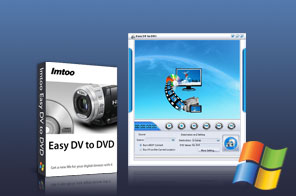


- As a DV backup tool, Easy DV to Home DVD makes it easy to transfer video from DV to Home DVD and burn Mini DV and DV to DVD-Video disc with excellent video quality as well.
- Easy DV to Home DVD can not only transfer the full video contents of Mini DV and DV to DVD, but also a segment of DV to DVD-Video disc. In addition, the DV to Home DVD converter provides a lot of advanced options to enable you to add Home DVD menus, titles and chapters at will.
- Besides backing up DV to Home DVD disc, Easy DV to Home DVD can convert DV to Home DVD folder or ISO file. Create, preserve and share your stories with Easy DV to Home DVD software and enjoy on Home DVD player now!
Main Functions
 DV to DVD transferTransfer videos from Mini DV and DV tapes to DVD for preserving treasure memory and sharing for friends.
 Burn DV to DVD folder or ISOThe complete way to create ISO images from DV home videos and to burn DVD folder from DV videos.
 DVD creationTurn your DV videos and home videos into attractive DVDs with DVD menus and excellent video quality.
 Burn a video segment to DVDsBurn the desired segment from your DV video to DVDs by specifying the start point of the segment yourself.
Key Features
- Support a broad range of disc type including DVD-R/RW, DVD+R/RW, DVD-R DL, DVD+R DL, DVD-RAM.
- Do anything for your DV to DVD - auto add menu, title and chapter, and provide DeInterlace option.
- Go from DV to DVD with customized video aspect ratio, resize method, video format and video quality.
- With the embedded player, you can easily play, stop, fast forward and fast rewind when playing DV video.
- Provide the highest burning speed to finish DV to DVD burning in a short time and alternative skins.
- Offer multiple interface languages: English, German, Japanese and Chinese for different users.



User Reviews
"I have never seen the amazing DV to DVD converter software. I try many similar tools and find ImTOO DV to DVD is much easier to use than the competitors I checked out. The software can help me convert the segment of DV and burn it into DVD. I really so like it!!" Lance, Canada "Thank you for offering a great service. I can't believe how EASY this DV to DVD converter has been up to now and it can help me transfer the full video contents of my DV to DVD and add DVD menus, titles and chapters. I recommend this ImTOO DV to DVD converter and your product and service is the best!!!"Dana, Germany


-
- iTransfer Platinum Mac

- iPhone Transfer Platinum Mac
- iPad Mate Platinum Mac

- PodWorks Platinum Mac
- iPhone Ringtone Maker Mac
- iPhone Transfer Plus Mac
- iPad Mate for Mac
- PodWorks for Mac
- iPhone Contacts Transfer Mac
- DVD to Video for Mac
- DVD to MP4 Converter for Mac
- DVD to iPhone Converter for Mac
- Blu-ray to Video Converter for Mac
- DVD to iPad Converter for Mac
- DVD to Audio Converter for Mac
- DVD Creator for Mac
- Video Converter for Mac
- MP4 Converter for Mac
- 3D Movie Converter Mac
- Video Editor 2 for Mac
- Audio Converter Pro Mac
- YouTube Video Converter for Mac
- Download YouTube Video for Mac
- YouTube HD Video Downloader Mac
- YouTube to iTunes Converter Mac

- YouTube to iPhone Converter Mac
- HEVC/H.265 Converter for Mac
- iTransfer Platinum Mac
- More