




-
- iTransfer Platinum Mac

- iPhone Transfer Platinum Mac
- iPad Mate Platinum Mac

- PodWorks Platinum Mac
- iPhone Ringtone Maker Mac
- iPhone Transfer Plus Mac
- iPad Mate for Mac
- PodWorks for Mac
- iPhone Contacts Transfer Mac
- DVD to Video for Mac
- DVD to MP4 Converter for Mac
- DVD to iPhone Converter for Mac
- Blu-ray to Video Converter for Mac
- DVD to iPad Converter for Mac
- DVD to Audio Converter for Mac
- DVD Creator for Mac
- Video Converter for Mac
- MP4 Converter for Mac
- 3D Movie Converter Mac
- Video Editor 2 for Mac
- Audio Converter Pro Mac
- YouTube Video Converter for Mac
- Download YouTube Video for Mac
- YouTube HD Video Downloader Mac
- YouTube to iTunes Converter Mac

- YouTube to iPhone Converter Mac
- HEVC/H.265 Converter for Mac
- iTransfer Platinum Mac
- More
MKV to Blu-ray: How to convert MKV to Blu-ray disc? 

I shot tons of beautiful videos with MKV format when I travel around the world. And I want to burn the video into Blu-ray disk in case of the video lost. Is there any program can help me to do it? Thank you in advance.
In order to burn the MKV to Blu-ray disk, you need a Blu-ray creator program to achieve it. ImTOO Blu-ray Creator is an easy-to-use and professional Blu-ray creator tool. Belowed article will show you step by step on how to do it.
Blu-ray Disc: BD-R, BD-RE, BD-25, BD-50
Step 1: Download ImTOO Blu-ray Creator, Install and run it.
Step 2: Load MKV files.
Click "Add Video File(s)" button on the toolbar to import your MKV video files or simply drag and drop files into the program.
Tip: You can load up to 99 videos.
Step 3: Set target.
Click "Destination" drop-down button to choose your recoder drive.
Tip: You can also convert your MKV video files to Blu-ray folder or Blu-ray ISO image file. Just choose "Save as BD Folder" or "Save as Image(.iso)".
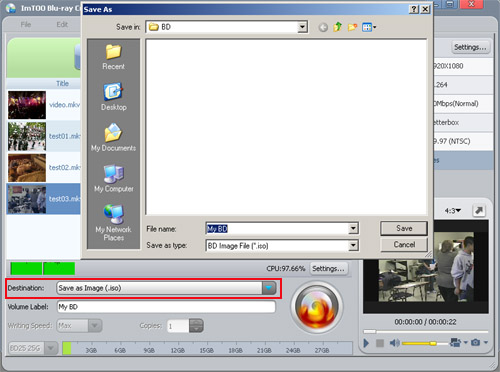
Step 4: Change output file name by entering the Volume Label.
Step 5: More advanced functions.
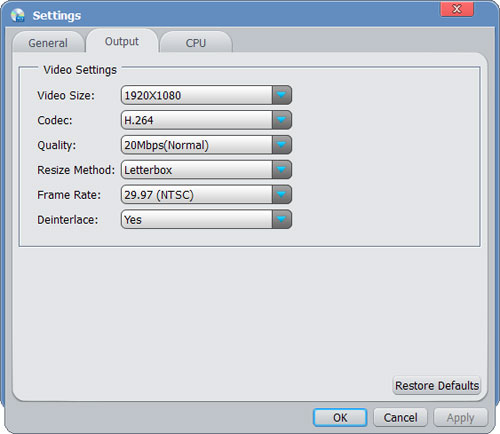
1. Modify output parameters. Click "Settings..." button to open the Settings window. Here you can modify:
- Video Size: 1280×720p, 1440×1080p, 1440×1080i, 1920×1080i, 1920×1080p;
- Codec: MPEG2, H.264;
- Quality: Highest, High, Normal, Low, Lowest;
- Resize Method: Letterbox, Pan and Scan, Full Screen;
- Frame Rate
- Deinterlace
1. Add and edit subtitle file.
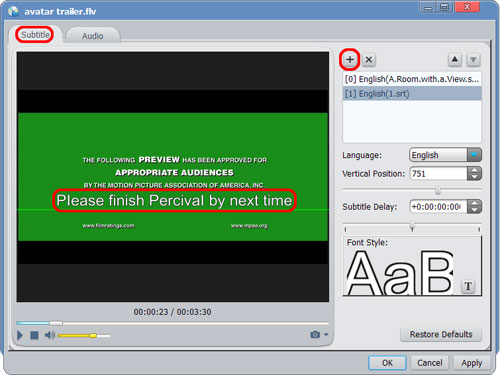
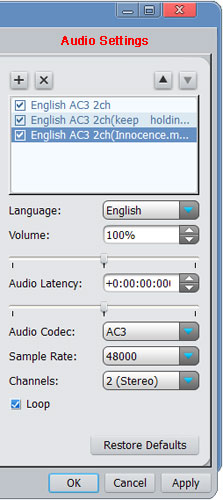
2. Add and edit audio track file.
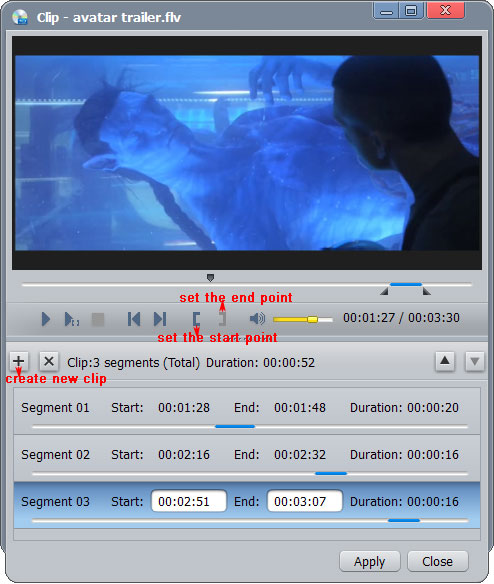
3. Clip video segment.
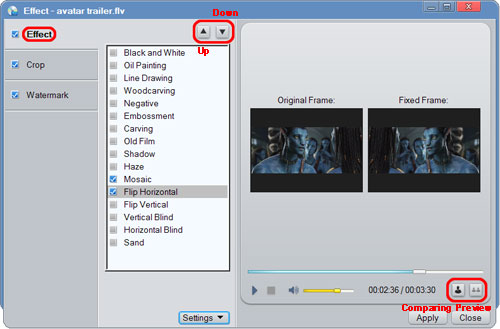
4. Edit video effects.
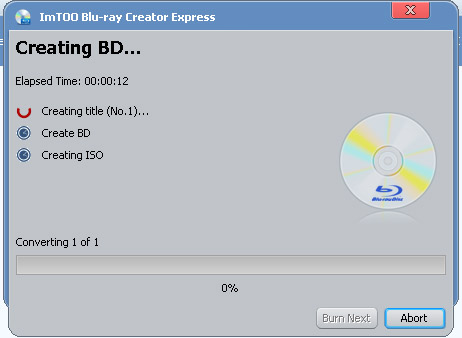
Step 6: Start burning MKV to Blu-ray disc.
Select files you want to convert and click "Burn" button on the toolbar to start convert MKV files to Blu-ray movies.
After the conversion a pop up window will remind you to insert a disc, insert a blank Blu-ray disc.
Okay, done.