



-
- iTransfer Platinum Mac

- iPhone Transfer Platinum Mac
- iPad Mate Platinum Mac

- PodWorks Platinum Mac
- iPhone Ringtone Maker Mac
- iPhone Transfer Plus Mac
- iPad Mate for Mac
- PodWorks for Mac
- iPhone Contacts Transfer Mac
- DVD to Video for Mac
- DVD to MP4 Converter for Mac
- DVD to iPhone Converter for Mac
- Blu-ray to Video Converter for Mac
- DVD to iPad Converter for Mac
- DVD to Audio Converter for Mac
- DVD Creator for Mac
- Video Converter for Mac
- MP4 Converter for Mac
- 3D Movie Converter Mac
- Video Editor 2 for Mac
- Audio Converter Pro Mac
- YouTube Video Converter for Mac
- Download YouTube Video for Mac
- YouTube HD Video Downloader Mac
- YouTube to iTunes Converter Mac

- YouTube to iPhone Converter Mac
- HEVC/H.265 Converter for Mac
- iTransfer Platinum Mac
- More
How to convert M4V to DVD and burn M4V to DVD? 

Apple products are becoming more and more popular among people such as iPad, iPhone and iPod, so M4V video file are becoming more widely used. But how to burn the M4V file into DVD disk to enjoy on DVD player is frequently asked by many users. Here we'd like to show you an easy-to-use ImTOO DVD Creator software which can help you convert and burn many popular video format files to DVD disc easily with high video quality.
What is M4V?
M4V files are the .mp4 files with the wrong extension introduced by Apple for video + audio files. .m4v files can be safely renamed as .mp4.
Tools Required for burning M4V to DVD:
- DVD Creator
- Mac users please download the DVD Creator for Mac
- Blank (re)writable DVD disc
Guide: How to convert and burn M4V to DVD
Step 1: Insert a blank writable DVD into your DVD drive.
Step 2: Run the DVD creator software.
Step 3: Add .m4v files into the program by clicking the "Add File(s)" button.
Step 4: Modify the Resize Method.
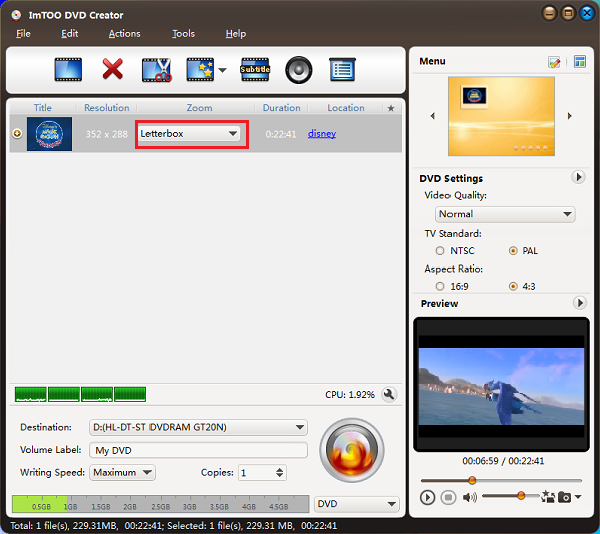
This program provides you 3 methods to choose:
- Letterbox: add black stripes to fit the output aspect ratio.
- Pan and Scan: crop frame to fit the output aspect ratio.
- Full Screen: stretch and compress frame to fit the output aspect ratio.
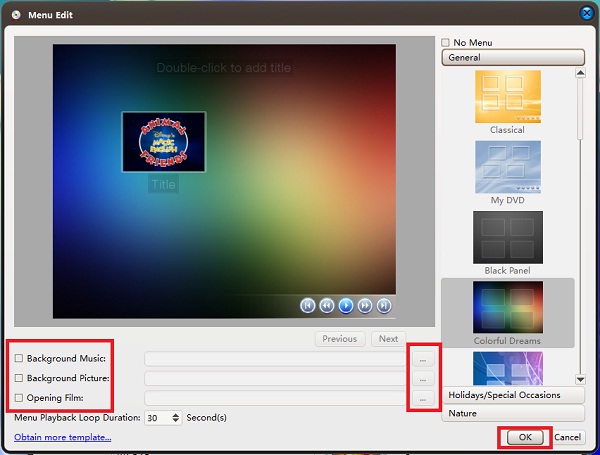
Step 5: Optional settings. You can choose a DVD menu form the template and set background music and background picture for your DVD movie.
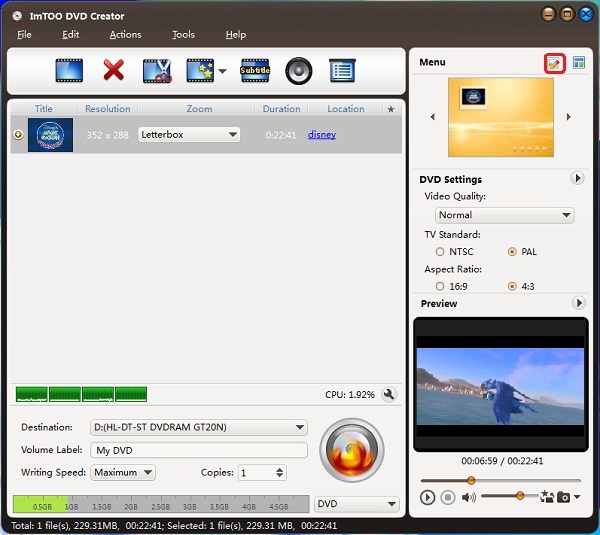
Step 6: Choose NTSC or PAL video standard according to your region.
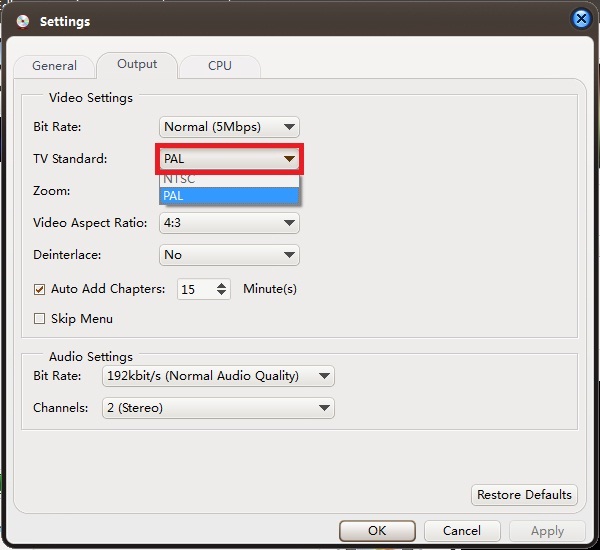
See what're the differences between NTSC and PAL?
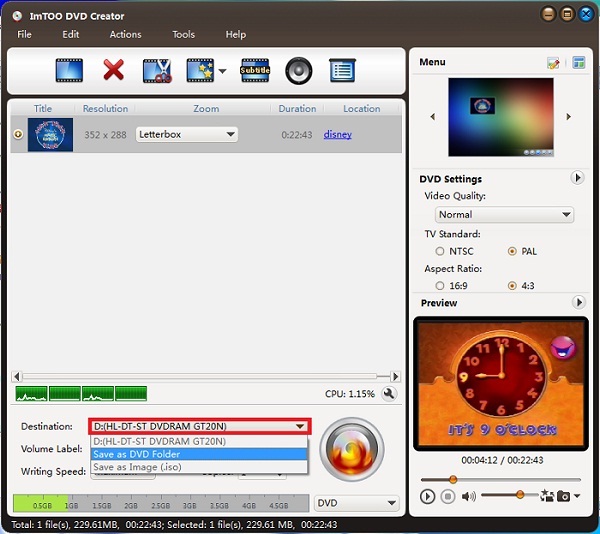
Step 7: Choose destination.
If you don't have a blank DVD disc, you can choose "Save as DVD Folder..." or "Save as image (*.iso)..." options to convert your videos to DVD folder or ISO image files and save them onto your computer. They can be burned to a DVD disc directly.
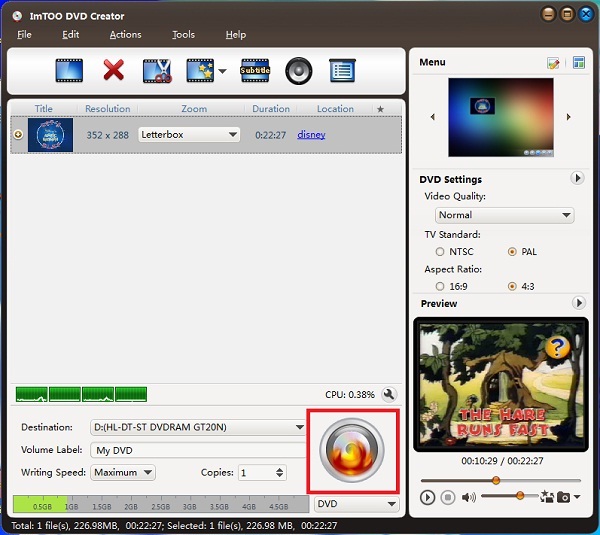
Step 8: Convert and burn .m4v files to DVD disc.
After settings, you can click the "Start Burn" button to start the M4V to DVD converting and burning process.
OK, done. With this DVD creator you can also convert and burn other video files to DVD disc.